Skip to content

The platform for those who manage and serve communities.

Boards, community managers and management companies run their vendors, RFPs, board votes, work orders and invoices here.

Do you serve communities or manage communities?

I serve communities

Everything it takes to run and serve a property on one platform.

Open any part to see how it works, then watch it run in the dashboard as a property manager, a management company, a self-run board or a vendor.

Vendors and compliance

Insurance and licenses on file

Keep every vendor's insurance and licenses on file, see what's expiring, and only let covered companies propose.

  • Vendors & COIs
  • Expiration reminders
  • Approved vendor list
  • Invite your own vendors
Vendors and compliance
See it in the dashboard as

RFPs and proposals

From your photos to proposals

Write an RFP from what you already have, send it to vendors you know and vendors who serve your area, and compare their proposals side by side.

  • RFP Studio
  • Send to your vendors and the network
  • Side-by-side compare
  • Award and contract
RFPs and proposals
See it in the dashboard as

Board decisions

Each member votes from their phone

Put proposals to a recorded board vote. Each member signs in to their own seat and votes from their phone, in person or remotely.

  • Send the board a stack of proposals
  • Board votes
  • Board seats with permissions
Board decisions
See it in the dashboard as

Requests and work orders

Pinned to the exact spot

Take service requests, pin the exact spot on your community map, and track every work order and visit on one calendar for every trade.

  • Requests
  • Work orders
  • Map your community
Requests and work orders
See it in the dashboard as
Service calendar

Every trade, color by color

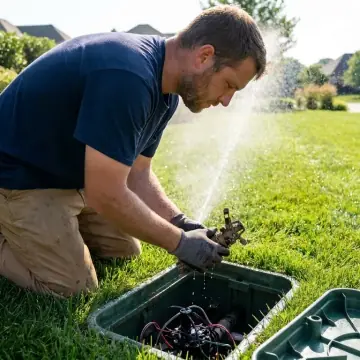
Every visit from every trade on one calendar, with feeds for Google Calendar, Outlook and Apple Calendar.

  • Service calendar
  • Calendar feeds (Google, Outlook, Apple)
Service calendar
See it in the dashboard as

Visit records

Photos of the work from every visit

Every visit gets a record. The vendor's crew checks in from the VendoRFP app and takes the photos there, and the record shows up in your portal with the visit.

  • Visit records with photos
  • Community overview
Visit records
See it in the dashboard as
Invoices and payments

Due, approved and paid

Approve what's due, see what's paid, and export to your accounting software.

  • Invoices due, approved and paid
  • Expected invoices from scheduled visits
  • QuickBooks, Xero and CSV exports
Invoices and payments
See it in the dashboard as

Map your community

On its own satellite photo

Your community on its own satellite photo. Draw the boundary for an approximate acreage, and see every request and visit where it happens.

  • Map your community
  • 3D view of your amenities
Map your community
See it in the dashboard as

Vendors find the work, win it and get paid here.

Joining is free. See the RFPs near your yard, answer them in Proposal Studio under your own letterhead, keep your insurance in one place and invoice every community you serve.

RFPs near you

Community work close to your yard

Communities publish their RFPs here. You see the ones for your trade near your yard, with the scope, the community's map and the date proposals are due, before you decide to drive out.

  • RFP marketplace
  • RFPs from communities you already serve
  • Sealed proposals
Find work
See it in the dashboard as

Proposal Studio

Your answer, on your own letterhead

Write your proposal against the exact scope of the RFP while the RFP stays open beside you. Your company name and contact line head the page, and your photos, price sheet and COI go out with it.

  • Your own letterhead
  • Photos and PDFs attached
  • Free to write and send
  • Offers to communities that didn't ask
Proposal Studio
See it in the dashboard as

Invoicing and getting paid

Sent, approved, paid

Invoice each community in your own name, with your numbering and terms, and follow every invoice from sent to approved to paid. At month end your bookkeeper gets a QuickBooks, Xero or CSV file.

  • Invoices in your name
  • Reminders on overdue invoices
  • QuickBooks, Xero and CSV exports
Vendor invoicing
See it in the dashboard as

Your documents

Insurance and license, filed once

Upload your certificates, W-9 and trade license one time and every community you serve reads the same copy. Each expiration date is tracked, so a renewal shows up before anything lapses.

  • Insurance and W-9
  • Trade licenses and certifications
  • Agreements with each community
Vendor compliance
See it in the dashboard as

Every vendor is vetted, verified and insured to your requirements.

Their insurance and the credentials their trade needs are on file before they can send a proposal, and expiration dates are watched for you.

  • General liability
  • Workers' comp
  • Auto liability
  • Umbrella
  • Trade license
  • Certifications
  • W-9 and business details

Works with the tools you already use.

Calendar feeds for Google, Outlook and Apple. Exports to QuickBooks, Xero and CSV.

CSV exports open in Excel or Google Sheets. See all integrations

More from

Each one works on its own and connects through your VendoRFP account.

Pool Check-in lets pool staff check people in on a phone, tablet or computer, lets residents check themselves in at a kiosk, and gives managers and board members the day’s numbers and the log.

Residents request a time from their phones and sign your house rules. Approvals come from one queue, and the calendar refuses any booking that overlaps another.

An AI crew built to handle the day-to-day of a community, with a person approving every action.

Start free as a community or as a vendor.

A community can send its own RFP today and invite the vendors it already uses. A vendor can see the RFPs near its yard and file its insurance once for every community it serves.